Troubleshooting: Text Replies Going to Your Personal Cell Phone
Last updated: Nov 10, 2026
0
views

The problem
You text a customer from your business number in Teams, but their replies arrive on your personal cell phone instead.
Why it happens
This happens when your customer uses an iPhone and has both of your numbers saved under one contact, with your personal number labeled mobile and your business number labeled work. When they reply, their iPhone sends the message to the number labeled mobile, even though your text came from your business number.
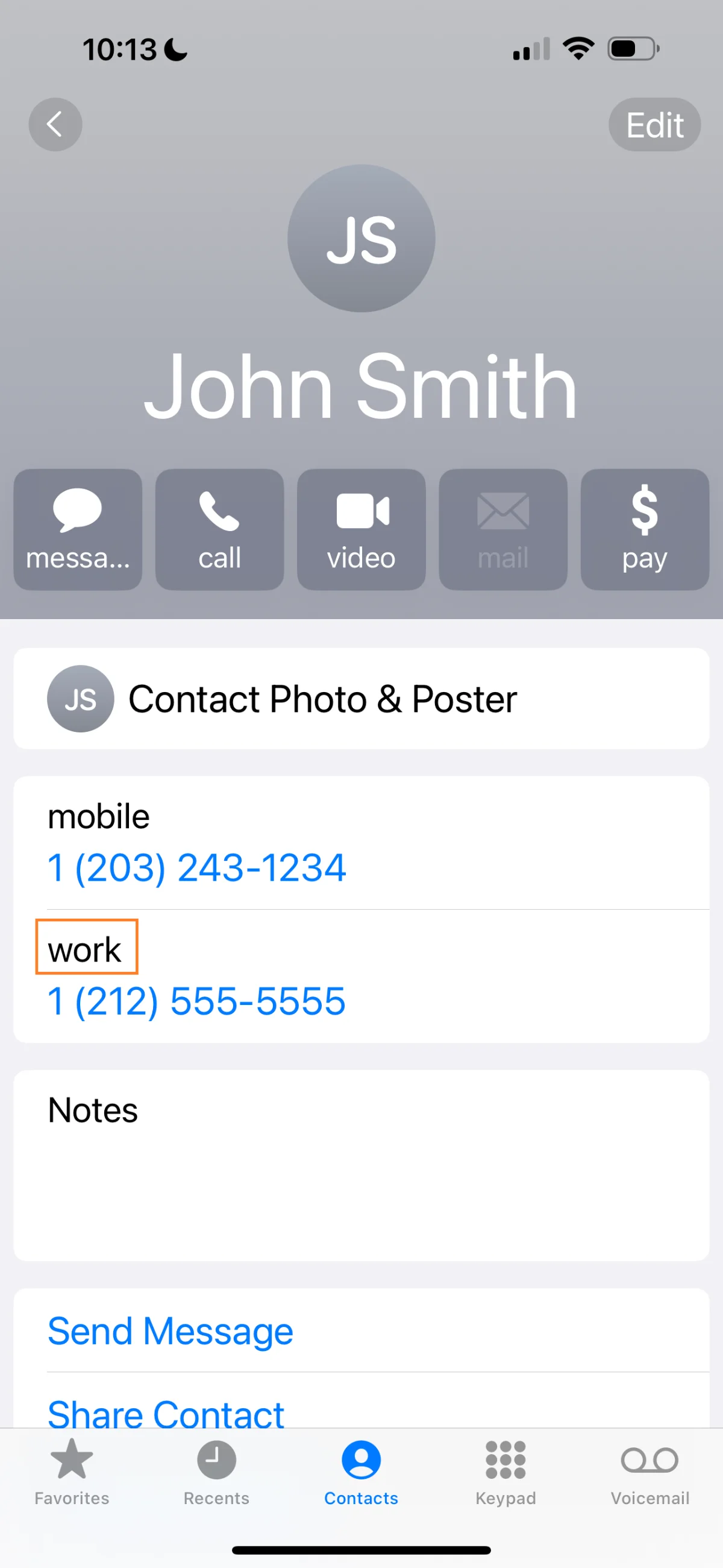
How to fix it
Ask your customer to edit your contact on their iPhone and change the label on your business number to mobile as well.
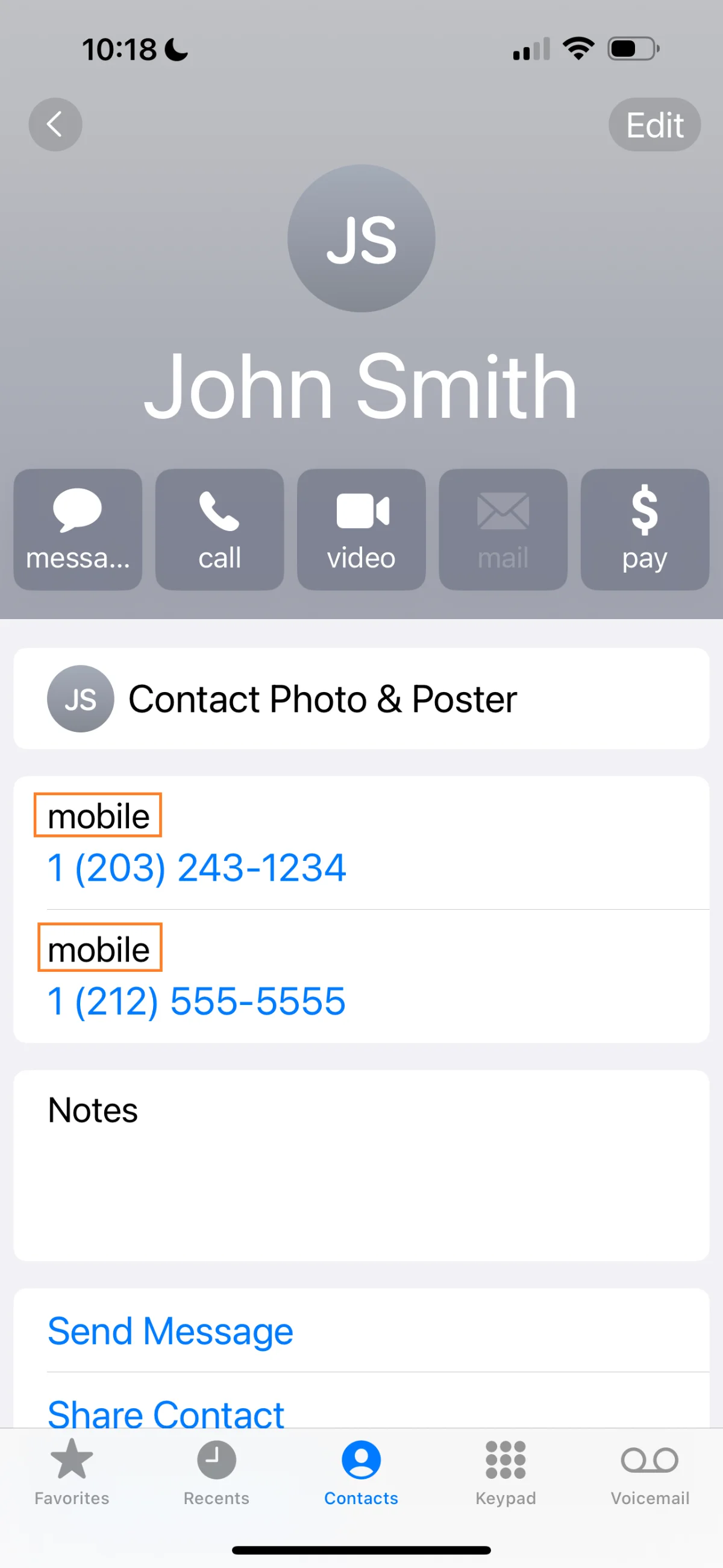
Their iPhone then keeps a separate conversation for each number, and replies go back to the number you texted from.