

Pausing Incoming Calls Based on Your Teams Status
Last updated: Nov 10, 2026
2
views

This feature holds back incoming phone calls automatically when your Teams status shows you are unavailable, for example when you are in a meeting or set to Do Not Disturb. Calls start ringing again when you become available.
The setting only appears if it has been turned on for your organization. If you don't see it, ask your administrator or contact CallHarbor Support.
Turn it on or off
In the CallHarbor app for Teams
- Open the app in Microsoft Teams.
- Open the feature settings:
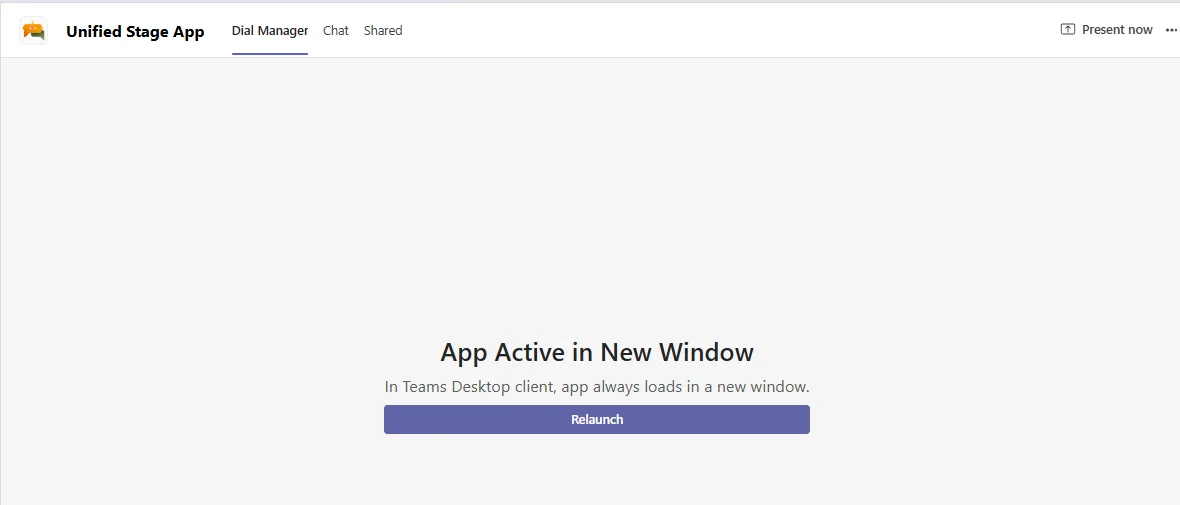
- If you see a Dial Manager tab, select Relaunch to open the app in its own window, then select the gear icon.

- If the first tab is your user portal, select the gear icon near the top right.
- If you see a Dial Manager tab, select Relaunch to open the app in its own window, then select the gear icon.
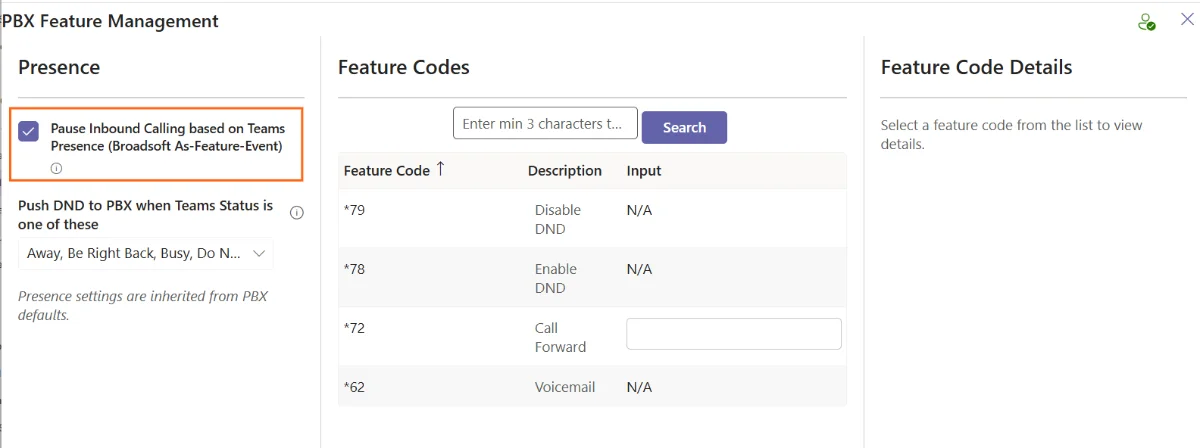
- Check or clear Pause Inbound Calling based on Teams Presence.
- Optionally, choose which Teams statuses should pause your calls.
In the Connect2Teams mobile app
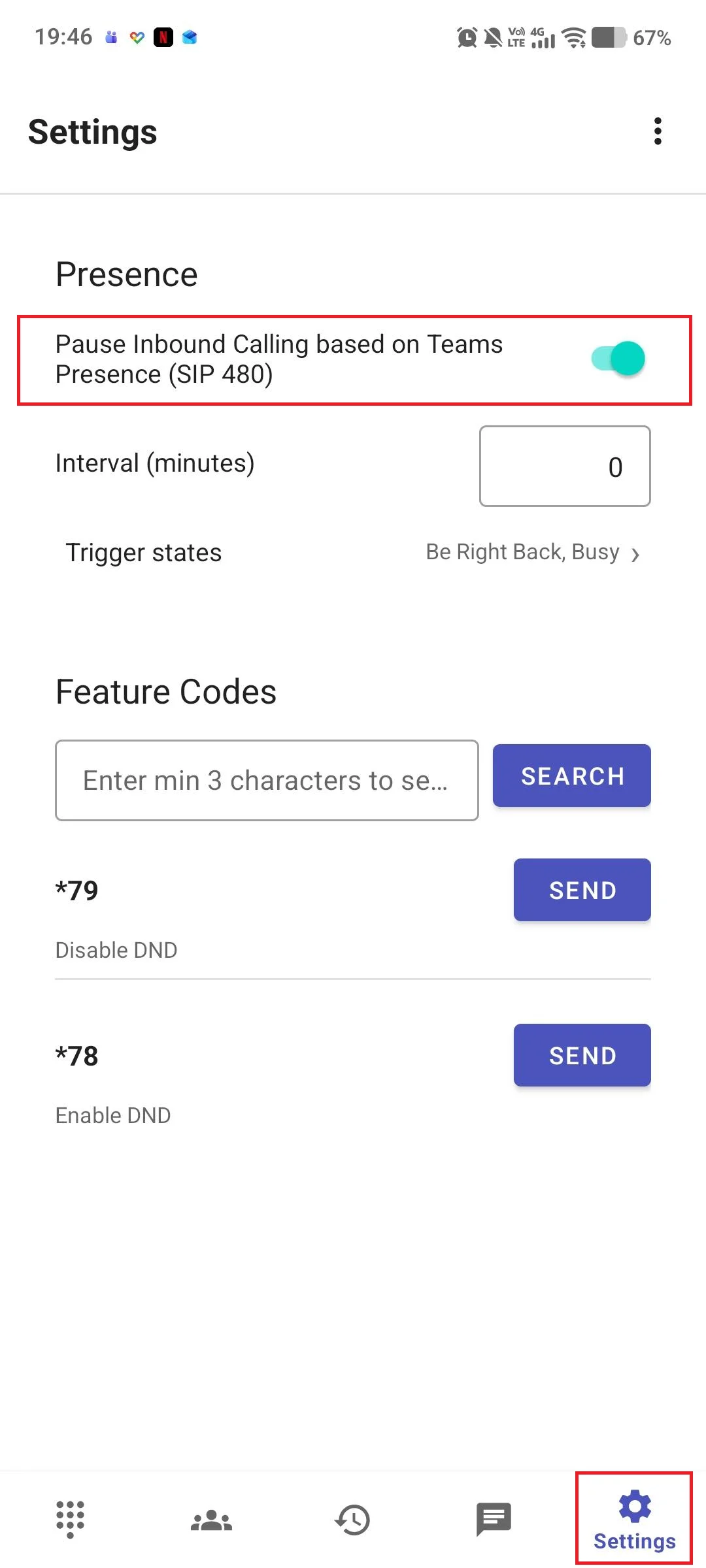
- Tap the gear icon to open Settings.
- Turn Pause Inbound Calling based on Teams Presence on or off.
- Optionally, tap Trigger states to choose which statuses pause your calls.
In the older standalone phone app
- Open the app in Teams and go to the PBX Soft Keys tab.
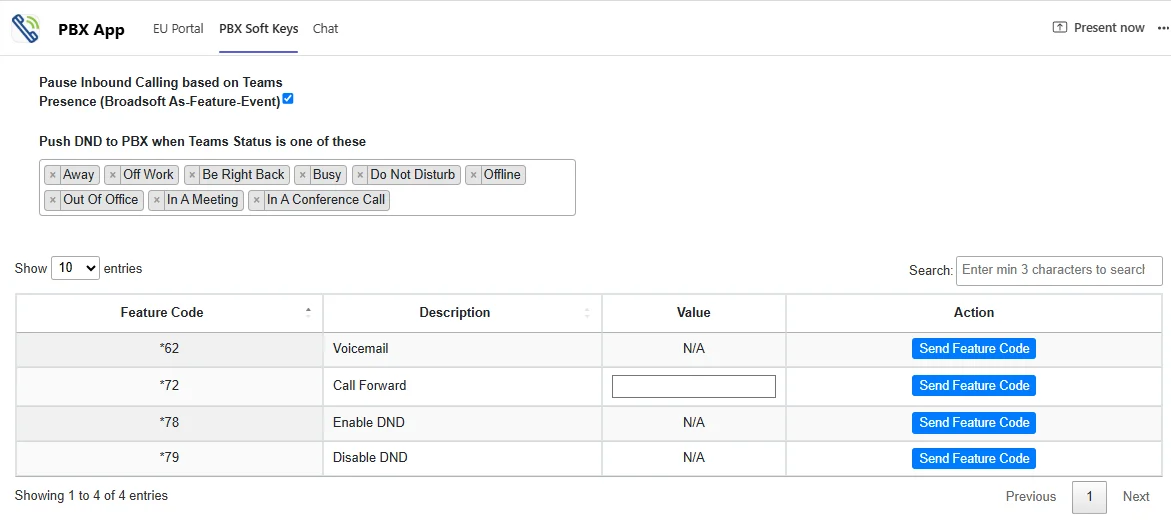
- Check or clear Pause Inbound Calling based on Teams Presence.
What happens while calls are paused
- Calls placed to you while you are unavailable do not go to your Teams voicemail. If you are part of a call queue, they go to the other available people in the queue.
- Depending on how your organization set the feature up, the pause may apply to all of your devices, including your desk phone, or only to Teams, in which case your desk phone may still ring.
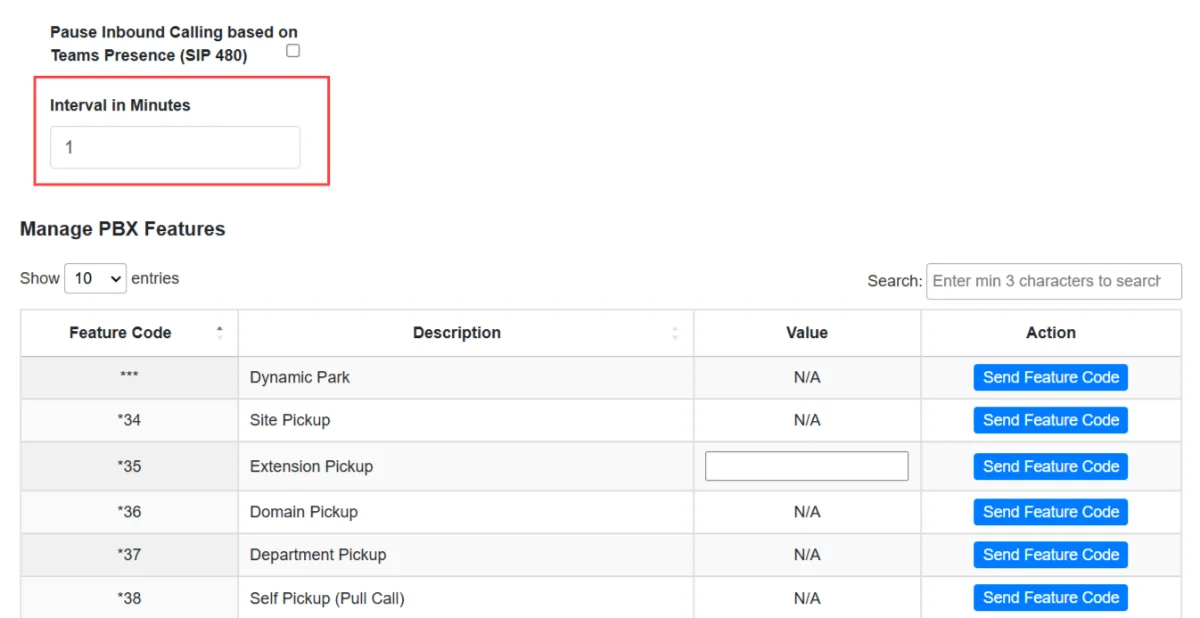
- Some setups also show an Interval in Minutes setting. This is how long calls stay paused after your status changes. Calls resume when you become available or the time runs out, whichever comes first. Set it to 0 to keep calls paused until you are available again.
- You don't need to do anything when you become available again. Calls resume on their own.
Your own choices here override the defaults your administrator set for you.

