


Important: this article applies only to the legacy SMS app, which stops working on October 1, 2027. If your texts appear in your Teams Chat list, see the shared number section of Texting with the CallHarbor App for Teams.
A shared text number (also called an SMS Group) is one phone number used by several people in your organization, such as a sales or support line. Every member sees every text received on the number and can send texts from it.
A shared number is not the same as a group text. To send one text to several people in a shared thread, see Group Texting.
Where it appears
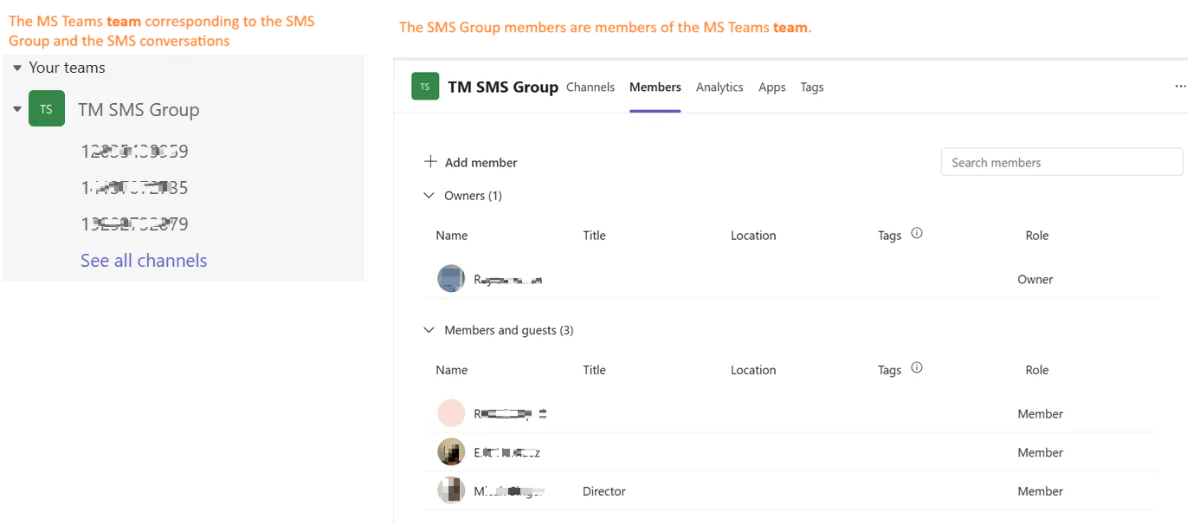
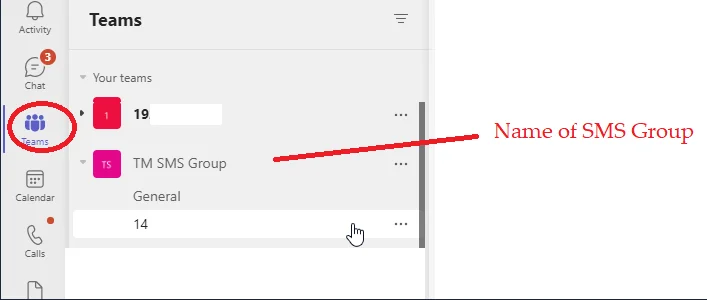
The shared number shows up under Teams as a team for every member. Each customer you text has a channel inside it.
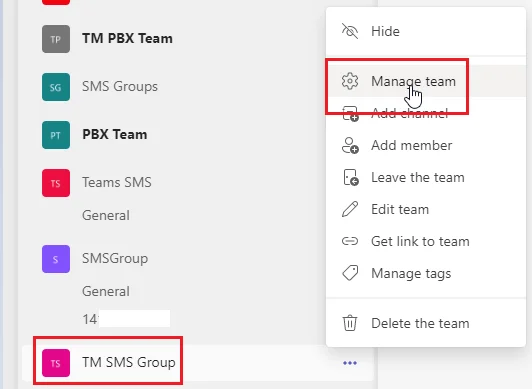
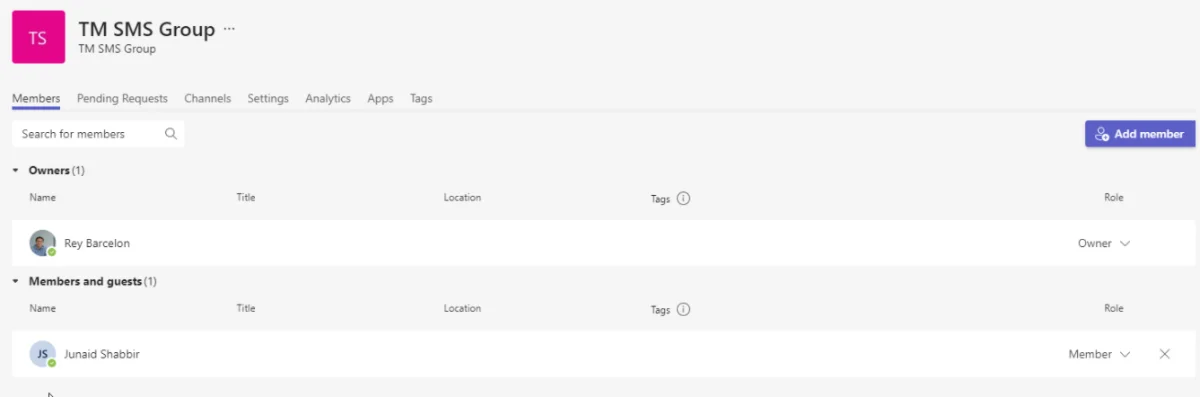
To see who is in the group, open the team and select Manage team. Do not add or remove members in Teams. Ask your administrator to make membership changes.
Send a text from the shared number
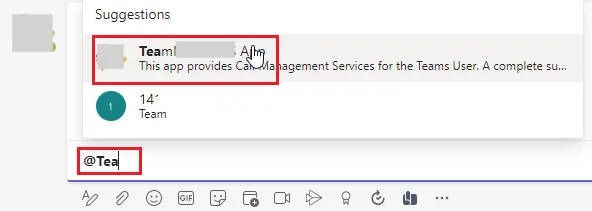
- Quick reply: in the customer's channel, select Reply, type @ and the app name, then your message. It is sent from the shared number. This is text only.
- SMS Composer: on a text card, select Respond to Message. The shared number is already selected in From. You can attach files here.
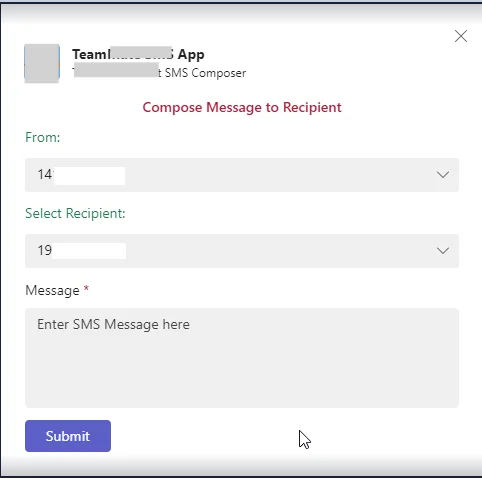
Other members of the group see everything you send.
Talk to your teammates about a conversation
You can post normal messages in the channel to discuss a conversation with coworkers. A normal channel message stays in Teams and is not sent to the customer. To get a teammate's attention, type @ and their name.

